
01
Watch the spoken word stay synchronized.
Narration is designed to remain visually connected to the document so the listener can keep following the exact place being spoken rather than listening blindly.
This guided tour shows how ReadThisAloud moves from opening a document to listening, following the spoken word, navigating instantly, controlling playback, and exporting narration.
Nothing on this page is meant to imitate a different product. The walkthrough is built around the actual ReadThisAloud Windows interface and the workflow the application is designed to support.
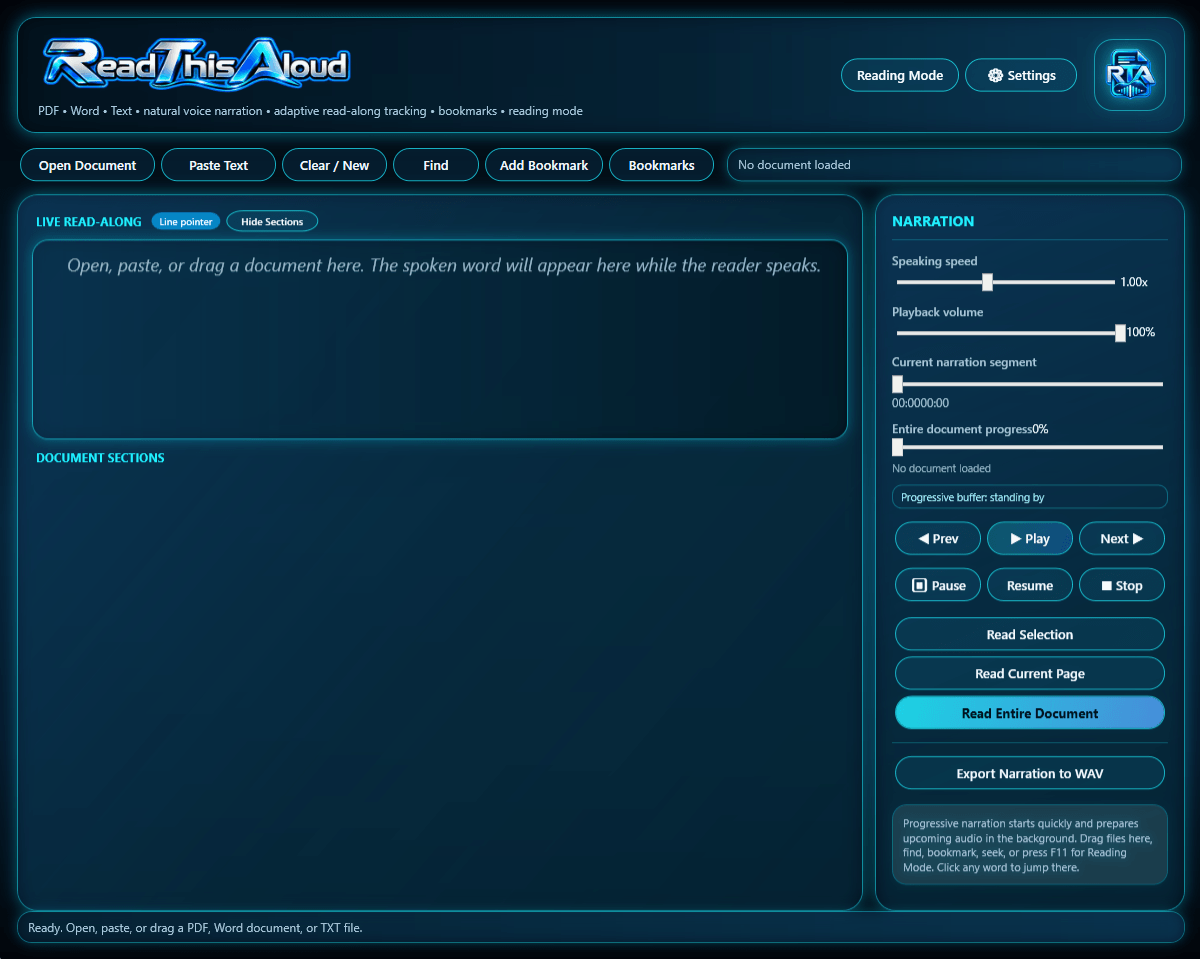
Select any chapter below. The tour explains what is happening in that part of the reading session without turning the page into another feature list.
Open a PDF, Word document, or TXT file, or paste text directly into ReadThisAloud. The session begins with the content you already use rather than requiring a new document format.
These are the interactions a static list cannot explain as well as a demonstration.
Narration is designed to remain visually connected to the document so the listener can keep following the exact place being spoken rather than listening blindly.
Instead of restarting or scrubbing through audio, the Reader is designed to move narration to the selected text and let bookmarks and sections preserve useful locations.
Speaking speed, volume, timeline, previous, next, pause, resume, and stop remain available while the document stays visible and connected to narration.
This recorded demonstration uses the actual ReadThisAloud Windows application. Watch the Reader open content, begin narration, keep the spoken word synchronized with the text, move through the document, control playback, and complete the session.
Use the player controls to pause, replay, change volume, or move to any point in the demonstration.
ReadThisAloud is most useful when the individual controls disappear into one continuous reading workflow. You open the material, begin listening, stay visually connected, move when you need to, and keep control without breaking the session.
The screenshots and future video are based on the ReadThisAloud Windows application.
The sequence follows the same order customers use when opening, listening to, and navigating documents.
The public site demonstrates the product without exposing unrestricted speech-service usage or backend credentials.
Review the complete feature set or compare the available plans when you are ready to move from demonstration to use.